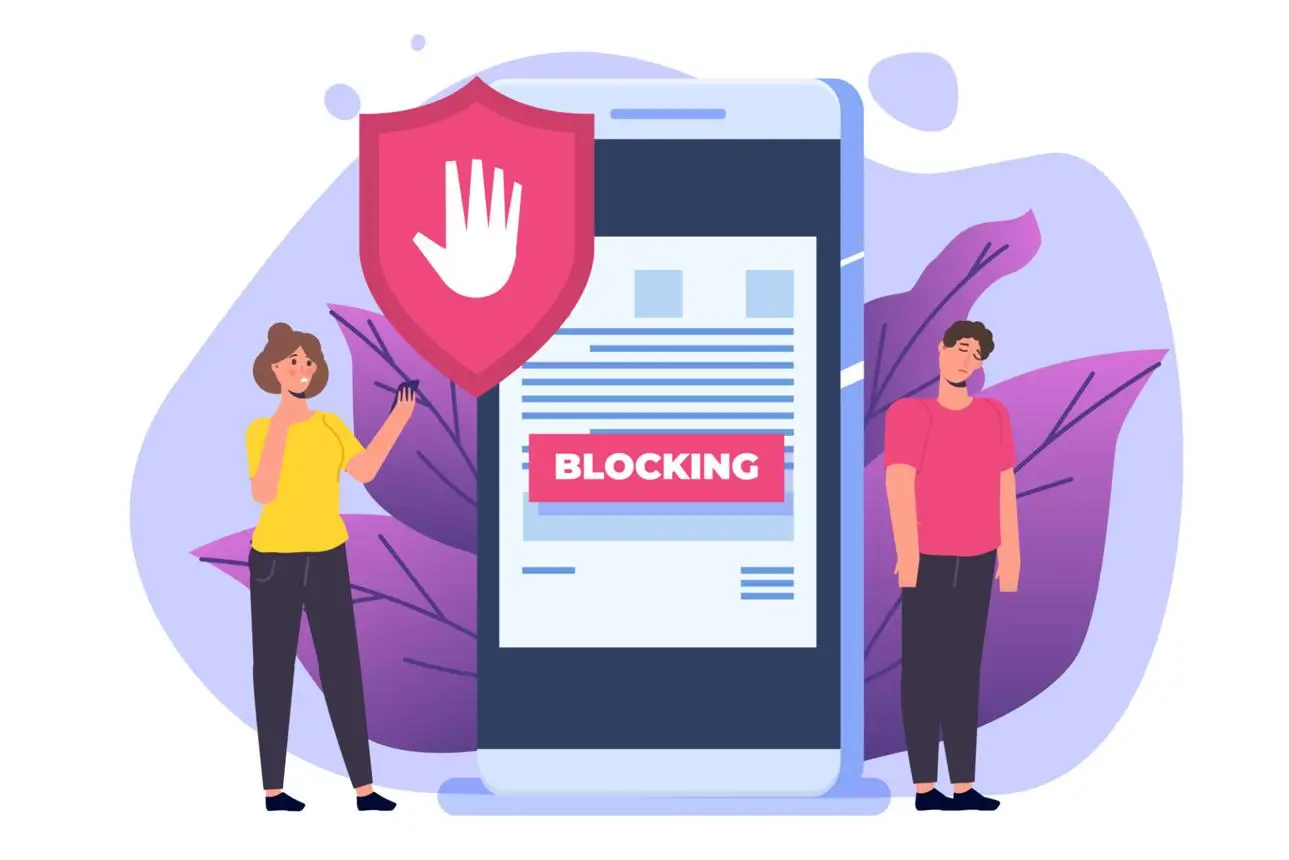
Launching a new Google Ads campaign should feel exciting — not like defusing a bomb. Yet for many advertisers, a new account gets flagged or suspended within hours of going live, often before a single dollar is spent meaningfully.
The good news: most instant bans are preventable. Google’s automated systems follow patterns, and if you understand what triggers them, you can set up your campaigns in a way that builds trust from day one rather than raising red flags.
This guide walks you through exactly what causes new accounts to get banned, the security steps to take before you launch, and how to scale safely over time — whether you’re managing one account or several.
Why Google Ads Bans New Accounts So Quickly
Before diving into solutions, it helps to understand Google’s perspective. The platform loses money and reputation when fraudulent or policy-violating ads run — so it applies aggressive automated checks to new accounts, which have no track record to rely on.
Here are the most common triggers for instant suspension:
Suspicious Activity Patterns
Google looks at behavioral signals from the moment an account is created. Logging in from multiple locations, switching IP addresses, or accessing the account through unusual network configurations can immediately signal that something is wrong.
Browser Fingerprint Mismatches
Every browser leaves a “fingerprint” — a combination of screen resolution, installed fonts, timezone, hardware specs, and dozens of other data points. If your browser fingerprint doesn’t match your stated location, payment method country, or past session data, Google’s systems notice. This is especially common when running multiple accounts on the same device.
Aggressive Early Spending
Setting a $500/day budget on a brand-new account with no history is one of the fastest ways to trigger a review. Google expects new accounts to start conservatively. A sudden, large spend looks either fraudulent or like a policy-testing attempt.
Low Trust Signals
New accounts lack the history that established accounts have. Without a verified business profile, a clean payment record, and gradual activity, Google has no reason to extend trust — and its systems default to caution.
Security Checklist Before You Launch
Taking the time to prepare your account environment before the first campaign goes live dramatically reduces risk. Work through this checklist before you spend a single cent:
Account & Identity Setup
- Use a dedicated email address created specifically for this ads account
- Verify your business information completely and accurately
- Match your billing address exactly to your payment method’s registered address
- Use a payment method that is clean, verifiable, and not associated with previously suspended accounts
Technical Environment
- Use a dedicated browser profile for each Google Ads account (more on this below)
- Ensure your IP address matches the geographic location tied to your account
- Clear cookies and session data before first login to a new account
- Never access multiple Google Ads accounts from the same browser session
Pre-Launch Review
- Read Google’s advertising policies relevant to your niche before creating any ad
- Ensure your landing page is live, loads quickly, and matches your ad’s claims
- Avoid landing pages with excessive pop-ups, auto-redirects, or thin content
- Confirm your product or service is not in a restricted or sensitive category
First Launch Limits: Start Slow, Build Trust
One of the most reliable ways to avoid an instant ban is to behave like a legitimate new advertiser — because that’s exactly what legitimate new advertisers do.
Keep Your Initial Budget Conservative
Start with a modest daily budget, ideally no more than $20–$50 per day for the first week. This gives Google’s system time to index your account activity as normal. Dramatically increasing spend should only happen after you’ve accumulated conversion data and a clean performance history.
Limit the Number of Campaigns at Launch
Don’t create five campaigns on day one. Start with one campaign, one ad group, and a focused set of keywords. Spreading too wide too fast looks like testing behavior — which often precedes fraud in Google’s data models.
Be Cautious With Your Creatives
Avoid using aggressive promotional language, superlatives, or anything that could be misconstrued as misleading in your first set of ads. Your goal in the first two weeks is not maximum performance — it’s establishing a clean record. Use straightforward copy that matches your landing page closely.
Gradual Spending Increases
A sensible scaling path looks something like this:
- Week 1: $20–$50/day, 1 campaign
- Week 2: $50–$100/day if no issues
- Week 3–4: Expand to 2–3 campaigns, increase budget by no more than 20–30% at a time
- Month 2+: Scale more freely, informed by actual performance data
How Anti-Detect Browsers Help Protect Your Accounts
If you manage more than one Google Ads account — or if you’re operating in a competitive niche where account stability is critical — an anti-detect browser is one of the most practical tools available.
What Anti-Detect Browsers Do
An anti-detect browser allows you to create fully isolated browser profiles, each with a unique browser fingerprint. That means different canvas signatures, WebGL data, screen resolutions, language settings, fonts, and timezone configurations — all customized per profile.
From Google’s perspective, each profile looks like a completely separate user on a separate device. This eliminates the cross-contamination risk that comes with logging into multiple accounts on the same browser.
Browser Isolation for Account Safety
When you use a standard browser like Chrome and simply open multiple tabs or windows for different accounts, all of those sessions share the same underlying fingerprint. If one account gets flagged, Google can often identify — through fingerprint matching — that the same device was used across other accounts, triggering a chain of suspensions.
Anti-detect browsers solve this at the root level. Popular options in the professional traffic management space include Dolphin Anty, AdsPower, and Multilogin. Each allows you to assign separate proxy connections to each browser profile, further strengthening isolation.
Fingerprint Protection as a Long-Term Strategy
Consistent fingerprint hygiene isn’t just about avoiding bans — it’s about maintaining account longevity. Advertisers who maintain clean, consistent browser environments for each account see fewer policy reviews, faster approval times for new campaigns, and more stable account standing overall.
Choosing High-Quality Proxies for Google Ads
A proxy is only as good as the IP reputation behind it. Using low-quality proxies is sometimes worse than using no proxy at all, because burned IP addresses flag immediately.
Residential Proxies vs. Datacenter Proxies
Residential proxies route your traffic through real ISP-assigned IP addresses belonging to actual households. These look entirely legitimate to Google’s systems because, for all intents and purposes, they are. They’re the preferred choice for Google Ads account management.
Datacenter proxies are faster and cheaper, but they come from server farms — and Google (along with most major ad platforms) maintains lists of known datacenter IP ranges. Using them increases your exposure to fingerprint mismatch flags.
For Google Ads specifically, always prioritize residential or mobile proxies over datacenter alternatives.
Geo Matching Matters
Your proxy’s location should match the country and ideally the region of your account’s billing address and business location. An account registered in Germany using a proxy in Singapore is a mismatch that automated systems catch reliably.
What to Look for in a Proxy Provider
- Clean IP reputation: Ask providers whether IPs are rotated and whether they’ve been used for ad platform activity before
- Dedicated IPs: Shared proxies mean other users’ behavior affects your IP’s reputation; dedicated IPs give you full control
- Stable uptime: An IP that disconnects mid-session can create the kind of inconsistent activity patterns that trigger reviews
- Reasonable speed: Slow proxies lead to timeout errors that look like bot behavior
Safe Scaling Strategy: Warming Up and Growing Responsibly
Account “warming” is the practice of gradually building a positive track record before pushing a new account to full capacity. It’s standard practice among professional media buyers and anyone managing accounts at scale.
What Warming Up Actually Means
Warming up an account means:
- Starting with low budgets and non-aggressive keywords
- Letting the account accumulate real impressions, clicks, and ideally some conversions before scaling
- Avoiding policy-edge creatives or landing pages during the initial period
- Keeping billing activity consistent (small, regular charges rather than sudden large ones)
A well-warmed account has data Google can reference. That history is what earns the latitude to scale.
Monitoring for Policy Violations
Set aside time weekly — especially in the first month — to review the Policy Manager section of your account. Google will flag potential violations before they result in suspension if you catch them early. Address any warnings immediately and don’t let them accumulate.
Common policy pitfalls to watch for in new accounts:
- Destination mismatch (ad copy doesn’t match landing page)
- Circumventing systems (using cloaking, redirect chains, or inconsistent destinations)
- Misleading content claims
- Restricted content categories (finance, healthcare, supplements) without proper verification
Spending Increase Guidelines
Never increase your daily budget by more than 20–30% in a single step, and wait at least 5–7 days between significant increases. This mimics the natural growth pattern of a legitimately successful campaign — which is exactly what Google’s trust algorithms are calibrated to expect.
Where to Buy Reliable Google Ads Accounts
For advertisers who need accounts with established history — whether to test campaigns faster, access higher trust limits sooner, or maintain separation across different business verticals — sourcing pre-aged accounts from a reputable provider is a practical option.
The key word here is reputable. Low-quality accounts purchased from unknown sources often come with hidden issues: previous policy violations, associated billing problems, or flagged payment methods that will trigger suspension the moment you run your first campaign.
Baobao Ads is a service focused on Google Ads account supply for professional advertisers. If you’re looking to buy a Google Ads account or exploring google ads accounts for sale, working with a provider that vets account history and offers clean, properly configured accounts makes a significant difference to your launch outcomes.
When evaluating any provider, ask specifically:
- What is the account’s age and activity history?
- Has it run campaigns before, and in what verticals?
- What payment method is already attached, and can it be updated cleanly?
- Is there any record of previous policy warnings or strikes?
A well-sourced account, combined with the technical setup practices in this guide, gives you the strongest possible foundation for a stable, scalable campaign.
Pre-Launch Safety Checklist (Summary)
Use this as your final review before clicking “Enable” on any new campaign:
Technical Setup
- Dedicated browser profile with unique fingerprint configured
- Residential or mobile proxy assigned, geo-matched to account location
- No shared sessions with other accounts in the same browser
- Cookies and session data cleared before initial account login
Account Configuration
- Business information complete and accurate
- Billing address matches payment method exactly
- Payment method is clean with no history of chargebacks or disputes
- Email address is dedicated to this account only
Campaign Preparation
- Daily budget set conservatively ($20–$50 for new accounts)
- Starting with 1 campaign, 1–2 ad groups maximum
- Ad copy reviewed against Google’s advertising policies
- Landing page live, fast-loading, and consistent with ad content
- No restricted content categories without proper verification
Ongoing Safety
- Budget increase schedule planned (max 20–30% per step)
- Weekly policy review reminder set in calendar
- Scaling timeline defined (minimum 2–4 weeks before major expansion)
Frequently Asked Questions
Q: Can I run multiple Google Ads accounts safely? Yes, but each account needs its own isolated browser profile, dedicated IP address, separate payment method, and distinct email. The more separation you create between accounts, the lower the cross-contamination risk. Anti-detect browsers are the practical tool for managing this at scale.
Q: What’s the difference between a suspended and a banned account? Suspensions can sometimes be appealed through Google’s support process, especially if caused by policy misunderstandings or payment issues. Permanent bans (“account disabled”) are much harder to reverse and are typically issued for serious or repeated violations. Preventing the first suspension is far easier than recovering from it.
Q: How long does it take to warm up a new Google Ads account? A conservative warm-up period is 2–4 weeks at low spend before pushing to larger budgets. Accounts in sensitive categories (finance, health, supplements) may need longer to establish trust and complete required verification steps.
Q: Do residential proxies guarantee account safety? No proxy or technical tool offers a guarantee. Residential proxies significantly reduce fingerprint mismatch risk compared to datacenter proxies, but account safety ultimately depends on following Google’s advertising policies, maintaining consistent account behavior, and not running policy-violating content.
Q: Is it safe to buy a Google Ads account? It can be, provided the account comes from a vetted source with transparent history. Accounts from reputable providers that include accurate documentation of their prior use are far safer than anonymous listings. Always combine a purchased account with proper technical setup — the account’s history alone doesn’t protect you if your browser environment is misconfigured.
Q: What should I do if my new account gets flagged immediately? Stop all campaigns immediately and review the notification in your account’s Policy Manager. Don’t attempt to appeal until you’ve identified and corrected the underlying issue. Appealing before fixing the problem rarely succeeds and can escalate the review. If the suspension is payment-related, resolve the billing issue first through Google’s support channels.
Conclusion
Launching a Google Ads campaign without preparation is one of the most common — and most avoidable — reasons new advertisers lose accounts before they ever see results.
The practices in this guide aren’t about finding loopholes. They’re about understanding how Google’s trust systems work and giving your account the signals it needs to be treated as legitimate. Start conservatively, maintain a clean technical environment, warm up your account over time, and scale only when you have the history to support it.
Patience in the first few weeks pays off with account stability for months and years to come. Set the foundation correctly, and your campaigns will have the room to grow.